Computing Workshop
Bill McArthur
Session 3 – 1/26/11
Day and Time: Wednesdays 6-7 PM in the Clubhouse.
Your Questions and
Concerns:
Topic 1:
The Internet is a group of computers that are connected in a world-wide network, sometimes called the World-Wide Web (abbreviated as "www"). The Internet evolved out of a military communications network that had built-in routing redundancies so that part of the network could be destroyed without affecting the ability of the rest to function. Among the purposes of the Internet are file transfer (FTP), messaging (email), and interaction with "web pages" (browsing).
The computers of the Internet are classified by function as "servers" (think of a waiter in a restaurant delivering things) and "clients" (think of a patron in a restaurant requesting and receiving things).
Internet servers are usually known by their "domain names" (CNN.com, RockCreekComputing.com, FGCU.edu, WhiteHouse.gov, AARP.org, CapeMayBeach.net). Note: domain names are NOT case-sensitive, capitalization of letters is used only for style.
Internet clients usually connect via an ISP (Internet Service Provider) such as AOL, Comcast, or Century Link. Clients can connect using phone dial-up, cable, DSL, cell tower, wired or wireless router, or satellite. Client computers usually do not have domain names.
All computers on the Internet have an IP (Internet Protocol) number or address, for example RockCreekComputing.com has an IP address of 66.147.242.83. The matching of domain names with IP addresses is done by a DNS (Domain Name Server).
Topic 2:
Electronic Mail (email) is messages from one computer to another. An email address has the form: [user name]@[domain name]. Examples of email addresses are Bob.Smith@hotmail.com and alice455@FGCU.edu. Note: By the letter of the law, the [user name] part of an email address is case-sensitive, but most email servers do not enforce that policy. I never concern myself with capitalization of email addresses and almost always simply use lower case letters.
When you send or receive email, you make use of an "email client" to do so. Your email client can be a program running on your computer, such as Microsoft Outlook, Windows Live Mail, or Mozilla Thunderbird. Alternatively, your email client can be a Web Mail server on the Internet, such as Hotmail, gMail, or YAHOO. In all cases, the email functions are similar.
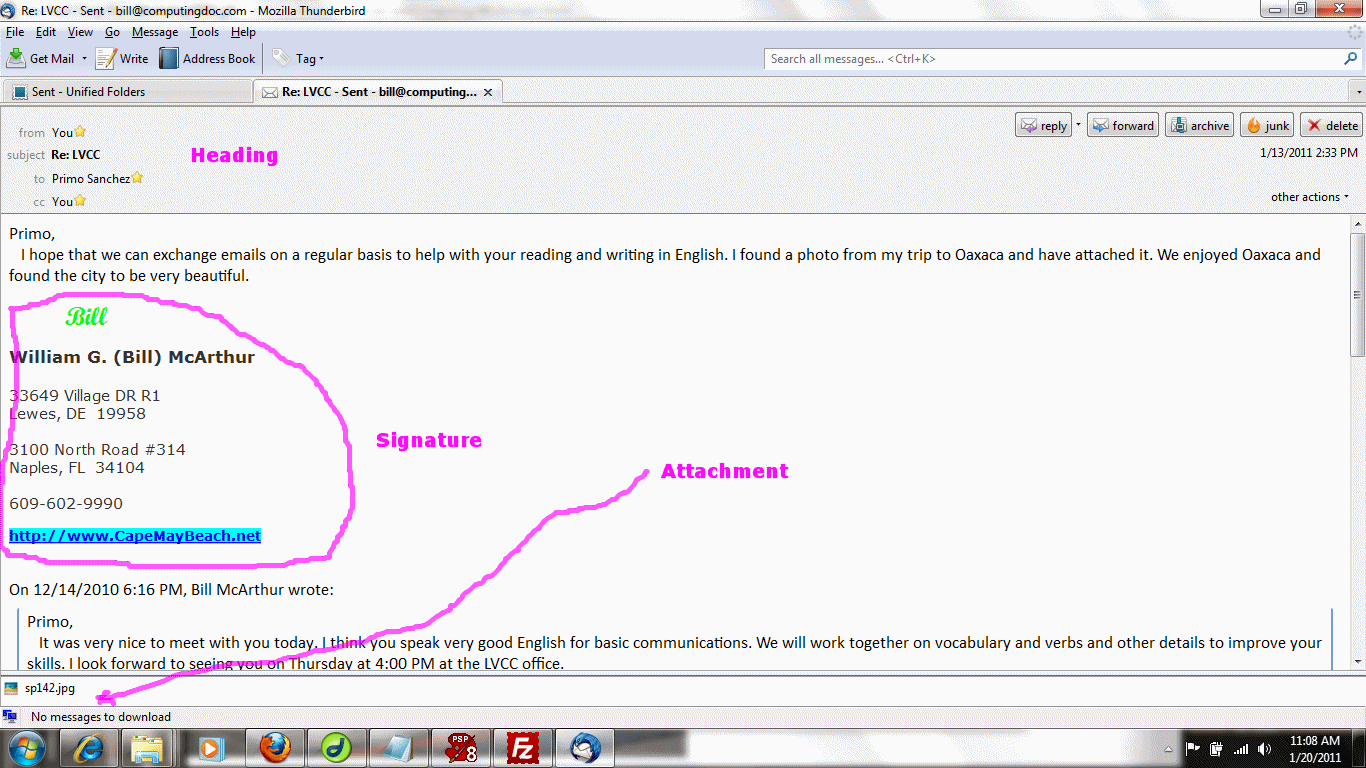
The basic email functions are "compose" (sometimes called "new" or "write"), "send", "reply", "reply all", and "forward." An email has these parts: "header", "subject", "body", "attachments", and "signature."
The header consists of one or more of the following types of email addresses: "to" (main recipient), "from" (the sender), "cc" (people to receive copies), and "bcc" (people to receive copies without other people knowing about it). "cc" stands for "carbon copy", a throwback to the good old days of typewriters. "bcc" stands for "blind carbon copy." Email clients usually have address books to help in remembering email addresses.
The subject is a short description of the purpose of the email. The description will appear in a list of emails for each recipient, so it should be as meaningful as possible.
The body of an email is the actual message. Many people design the body in the form of a personal or business letter. The body can contain embedded attachments (oxymoron), but I find these very distracting and don't use them.
Attachments are files that are similar to enclosures for "snail mail" letters. Email clients and servers often have restricted memory size limitations for attachments, so sending large files, such as high resolution photos and videos, might not be possible. Photos should be resized using a photo editor to keep their memory sizes small.
The signature is an optional set of message lines that is automatically included at the bottom of every email.
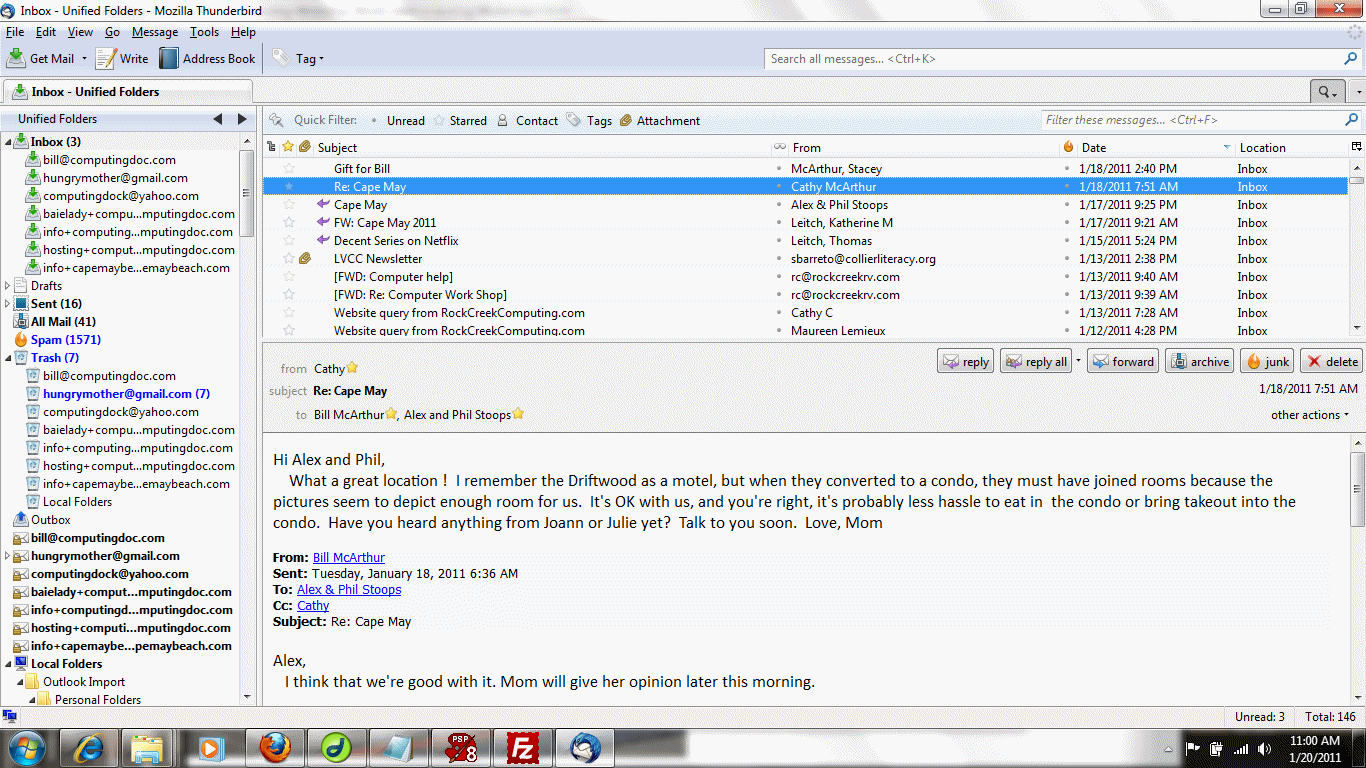
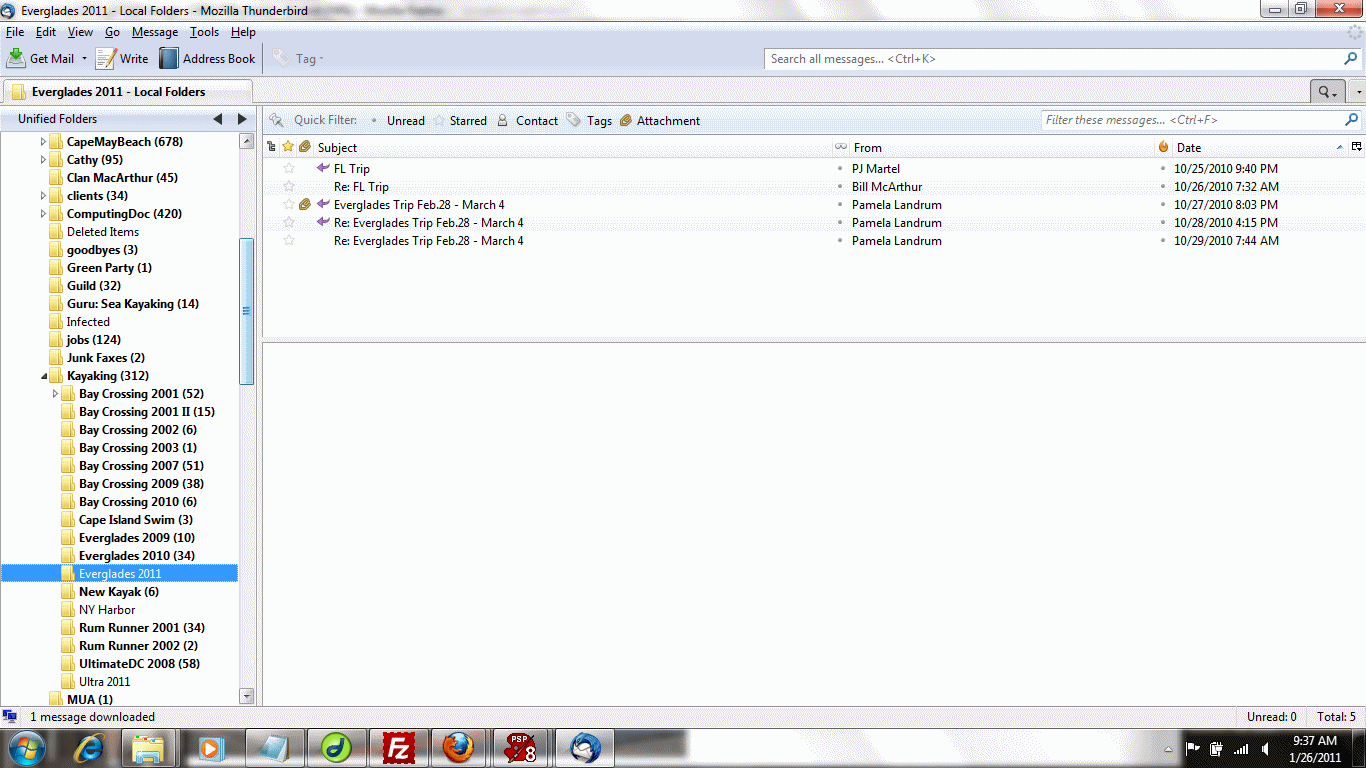
Click here for an example email list. Click here for an example email message. Click here for example email folders.
Most email clients are organized into folders, including "Inbox" (for incoming mail), "Outbox" (for outgoing mail), "Sent" (for mail you have sent out), "Deleted" (or "Trash, for emails you have removed), and user folders. Sometimes a right mouse click can be used to create folders or move mail into folders.
Suggestions and Notes: when replying back and forth on a particular subject, it is a good idea to leave each previous message in place as history of the conversation and keep the subject the same. Replies do not retain attachments, but forwards do retain them. Memory is not usually a problem, so I try to keep every meaningful email by storing it in a folder. You never know when you might want to refer to an old email.
Questions: Please help to make this workshop relevant by submitting your computing questions and concerns either on paper or online for future discussions.
Thanks for your interest.